Understand your delivery Stats

Your delivery stats help you keep track of your delivery activity throughout the month. They update automatically and give you a clear view of how you’re doing, including how many deliveries you’ve completed, how often you’re on time, and your completion rate.

What are delivery stats?

Your delivery stats are metrics that track the quality of your delivery activity throughout the month. They update daily in your Courier app (typically within 24 hours, some may take up to 48 hours) and give you real-time insight into how you are doing.

Your stats at a glance

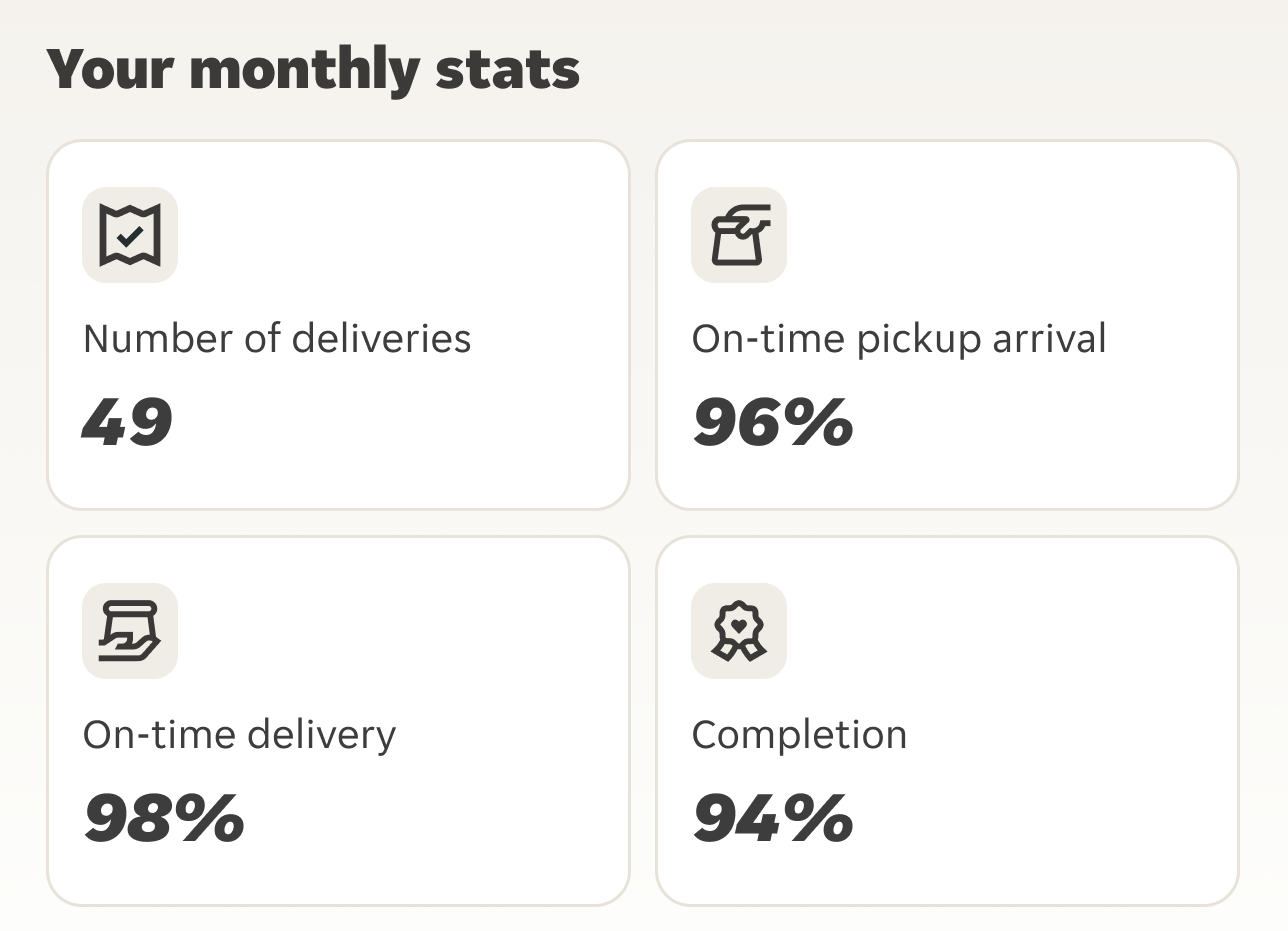
There are four stats you’ll see in the app:

Delivered orders: The total number of orders you successfully delivered to customers.

On-time pickup: How often you arrive at the partner on time.

On-time delivery: How often you deliver an order to the customer on time.

Completion rate: The percentage of accepted orders that you successfully complete.

extra monthly stats

An example of how monthly stats look in your Courier app

How your stats are calculated

Delivered Orders

This is a count of the total number of orders you successfully handed to customers and marked as delivered in the app.

Example:

You accept 105 orders

  • 100 are successfully delivered

  • 3 are cancelled by customers

  • 2 are self-unassigned

Delivered Orders = 100

Customer cancellations don’t count towards your delivered orders.

On-Time Pickup

This measures how often you arrive at the partner on time or early. Waiting at the partner won’t affect this stat.

Example

You complete 100 deliveries:

  • 96 pickups are on time or early

  • 4 pickups are late

On-time pickup = 96%

On-Time Delivery

This measures how often you deliver an order to the customer on time or early.

Customer cancellations and support cancellations aren’t included. Waiting at the partner won’t affect this stat.

Example

You complete 100 deliveries:

  • 97 are delivered on time or early

  • 3 are delivered late

On-time delivery = 97%

Completion Rate

This measures the percentage of accepted orders that are successfully delivered.

Customer cancellations don’t affect this stat. Self-unassigned orders do.

Example

You accept 100 orders:

  • 95 are successfully delivered

  • 5 are self-unassigned

Completion rate = 95%

What if a customer cancels 1 order ? Since customer cancellations aren’t included in this calculation, your total would be out of 99, not 100:

You have 99 countable orders:

  • 94 are successfully delivered

  • 5 are self-unassigned

Completion rate =95%

Good to know: Customer cancellations won’t count against you, but self-unassigned orders will.

How your stats work

Updated daily

Every delivery you complete is automatically included in your stats.

Most updates appear within 24 hours, although some can take up to 48 hours.

Reviewed monthly

On the 2nd of each month, your stats for the previous month are finalised. This gives you a complete view of your delivery activity and quality for that period.

Building your quality record

The deliveries you complete each month contribute to your ongoing delivery history. Consistently delivering orders on time and completing accepted deliveries helps build a strong quality record over time.

Where to find your stats

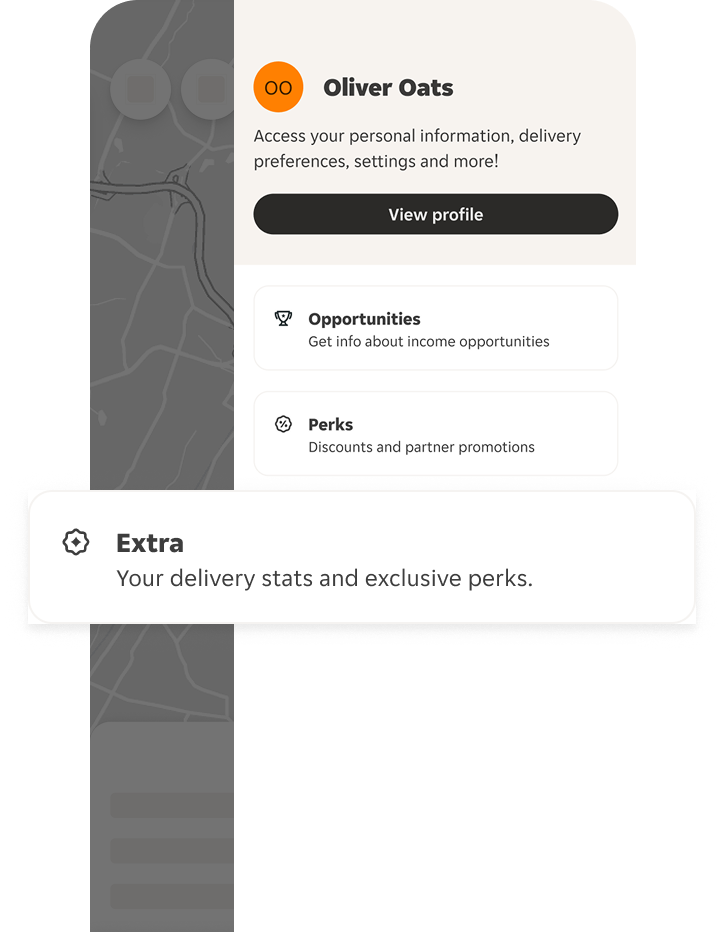
You can find your stats anytime in the Extra tab of the courier app. You’ll be able to see:

Live stats - your current month-to-date delivery stats.

Metric details – learn how each stat is calculated and what affects it.
courier delivering for just eat in a car

Why your stats matter

Your stats give you a clear picture of your delivery activity and service quality. They help you understand what’s going well, spot trends over time, and stay informed about your delivery outcomes.

See my stats

FAQs

How often are my stats updated?

Your stats usually update within 24 hours of completing a delivery, although some updates can take up to 48 hours. Monthly stats are finalised on the 2nd of each month.

Why can’t I see my stats yet?

Make sure you’ve completed at least one delivery. Stats can take up to 72 hours to appear after your first completed delivery. If they’re still missing after that, contact Courier Support.

Where can I find my stats? 

Open the Extra tab in the Courier app.

What if I think my stats are wrong?

If you believe there’s an issue with your stats:

  1. Review the details on your Stats page.

  2. Contact Courier Support with the delivery IDs or dates involved.

  3. We’ll investigate and correct any errors if needed.

If a technical issue affected a delivery and you contact support within 48 hours, we’ll review the situation and may adjust the relevant stat if the issue was platform-related.

What happens if I switch zones?

Your stats stay with your account. If you move to a different zone, your delivery history and stats will move with you.

Do cancellations affect my stats?

Customer cancellations

No. Customer cancellations don’t affect your completion rate.

Support cancellations

No. Cancellations made by Support, such as restaurant closures, don’t affect your stats.

Self-unassigned orders

Yes. If you choose to drop a delivery, it will affect your completion rate.

Share this blog post:
Author avatar

By: Just Eat Courier Care

The Just Eat Courier Support team provides guidance and resources to help couriers succeed on the road.